Splitting and paying
You can settle the whole bill yourself, or split it with the people you are with. Both start from the order screen.
- Pay All settles the table's remaining balance in one go.
- Split Check lets you choose your share first.
Either way, you pay only what is still owed. If someone at the table has already paid part of the bill, the remaining balance reflects it.
Choose how to split
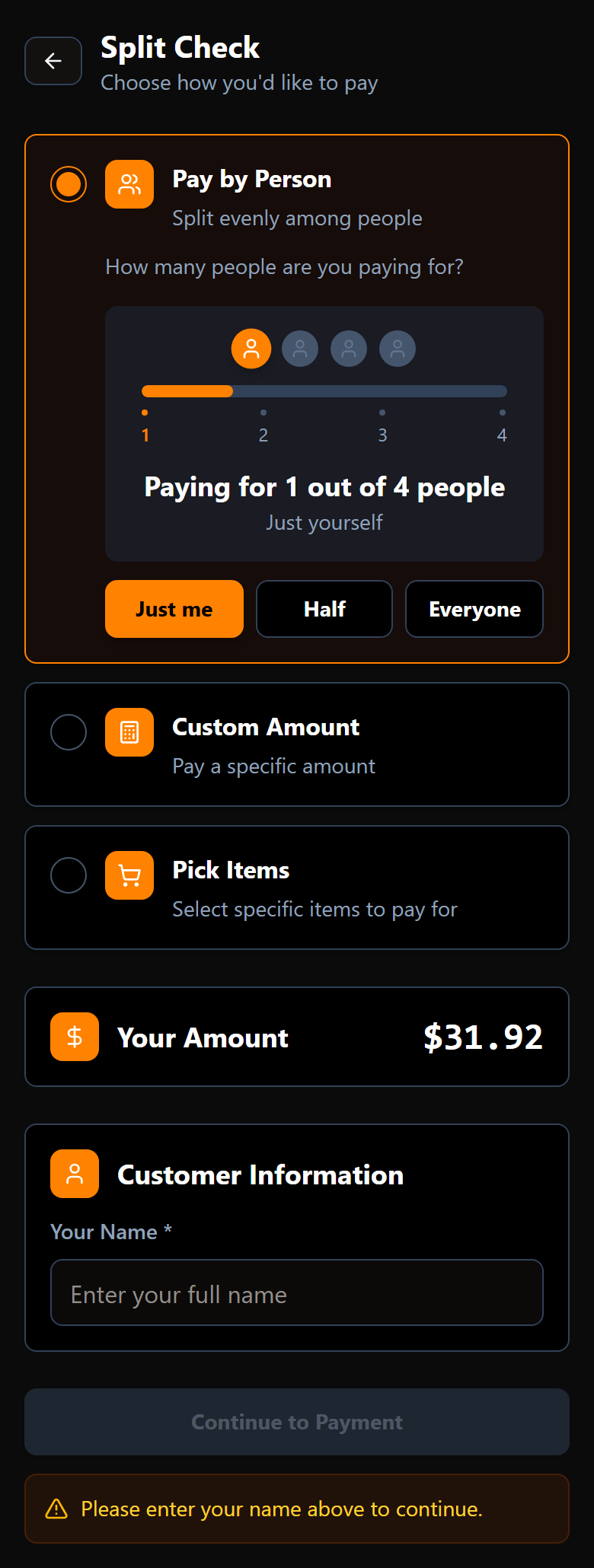
There are three ways to split, and you pick one before you pay.
Pay by person
Split the bill evenly and say how many people you are covering. A slider sets the number, with Just me, Half and Everyone as shortcuts. Your share is worked out and shown as Your Amount.
Use this when the table is happy to divide evenly.
Custom amount
Type any amount you want to put in. Use this when you want to contribute a round number, or cover a bit more than your share.
Pick items
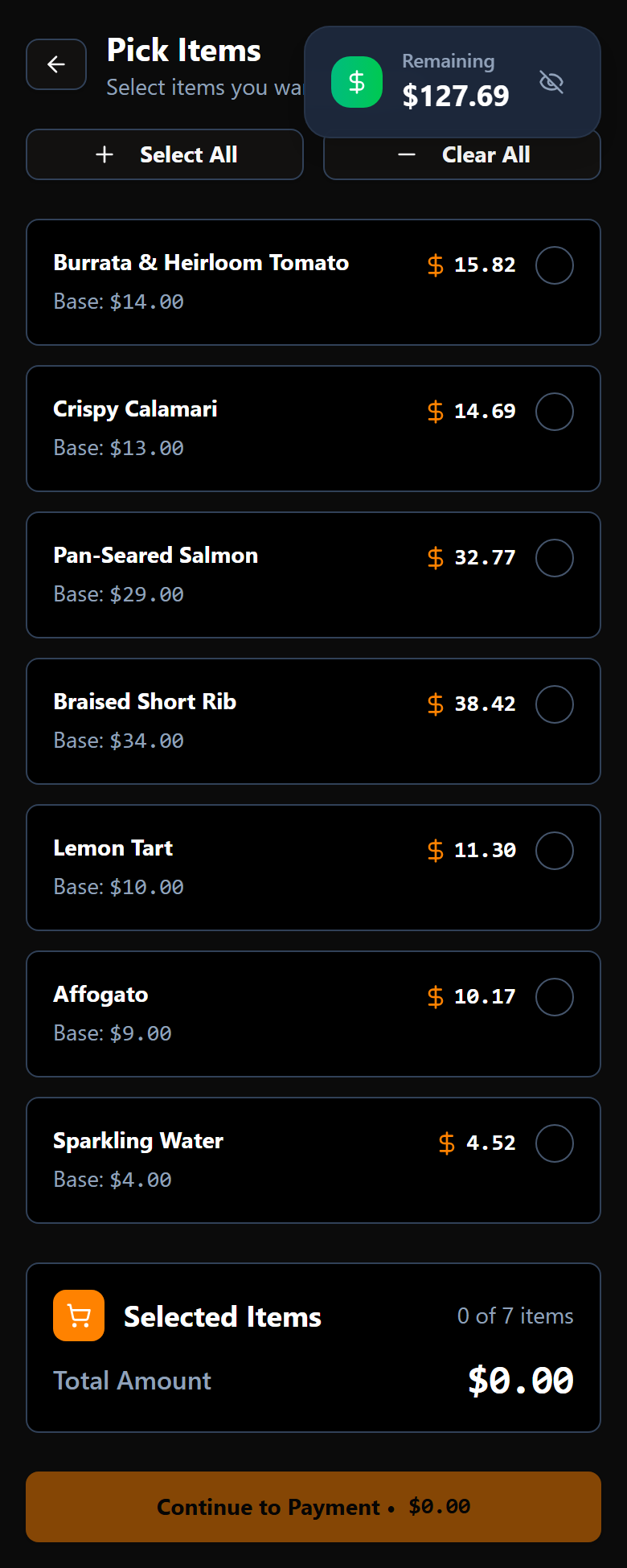
Choose the exact dishes you are paying for. Every item on the table is listed with its share of tax worked in, and a running Remaining figure at the top shows what would still be owed after your selection. Select All and Clear All are there for speed.
Use this when everyone is paying for what they actually had.
Your name
The first time you join a split, you are asked for your name. It is used so the people at your table can tell the shares apart while the bill is being settled — nothing more. You are only asked once; if you come back to pay again, it remembers you.
Add a tip
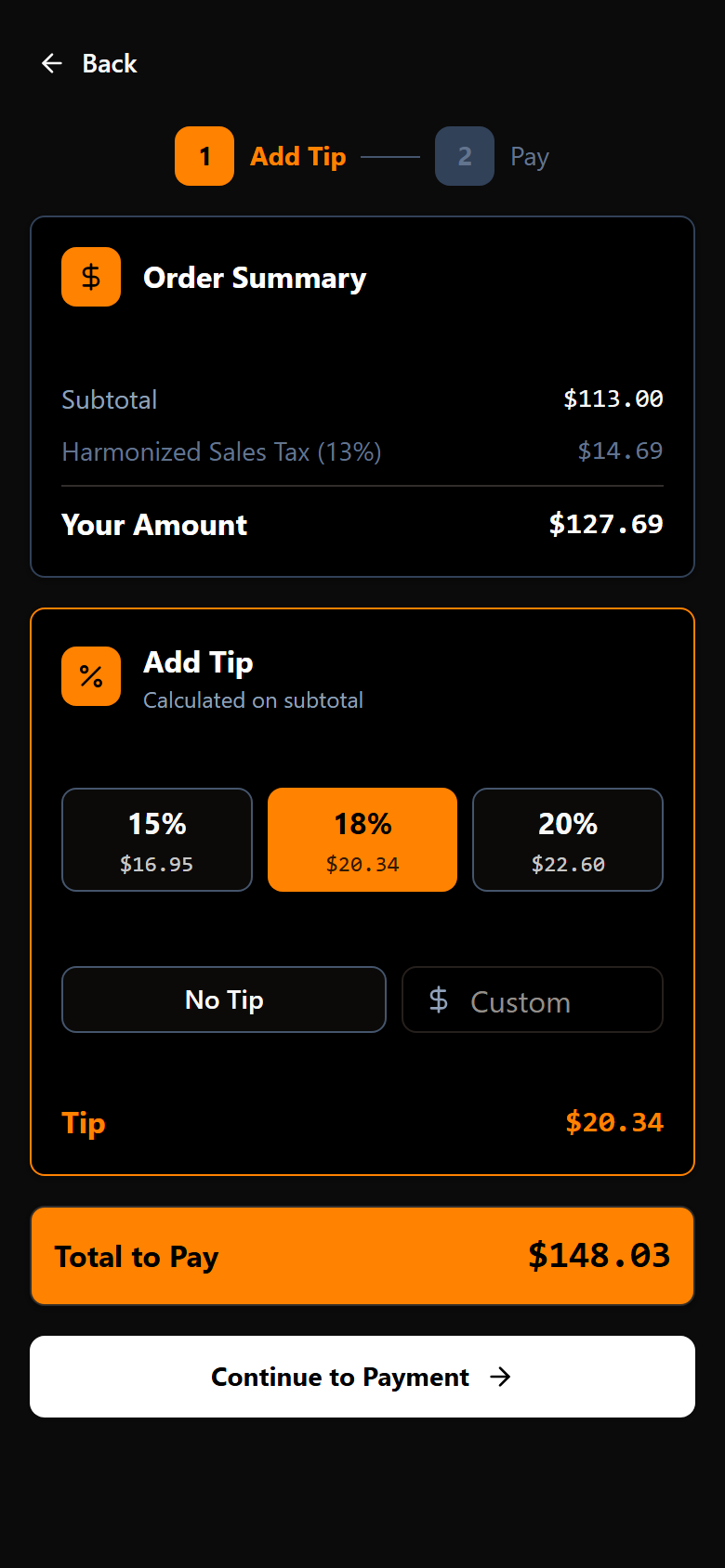
Paying happens in two steps, shown as 1 Add Tip and 2 Pay at the top.
The tip step offers three percentages the restaurant has chosen, plus No Tip and Custom for any amount you like. Under the heading it tells you what the percentages are worked out on — either the subtotal, or the total including tax — because restaurants differ.
Above it sits the summary for what you are paying: subtotal, tax, a service charge if the restaurant applies one, and your amount. Total to Pay at the bottom is your amount plus the tip.
Pay
Tap Continue to Payment for the card step. Enter your card number, expiry and security code and confirm.
If your phone offers a digital wallet, a wallet button appears above the card fields — that is usually the fastest route, and it fills everything in for you.
When the payment goes through you get a confirmation showing what you paid and the tip included.
Settling your share does not end the meal for everyone else. The table stays open until its balance reaches zero.
If the restaurant does not take phone payments
Some restaurants use Scan. Splt. Pay. only for viewing and ordering. If yours does, you will be told plainly that payment from your phone is not available, and you can settle with your server as usual. Everything else in the app still works.
Something gone wrong? See when something is not right.