Your order and the menu
The order screen
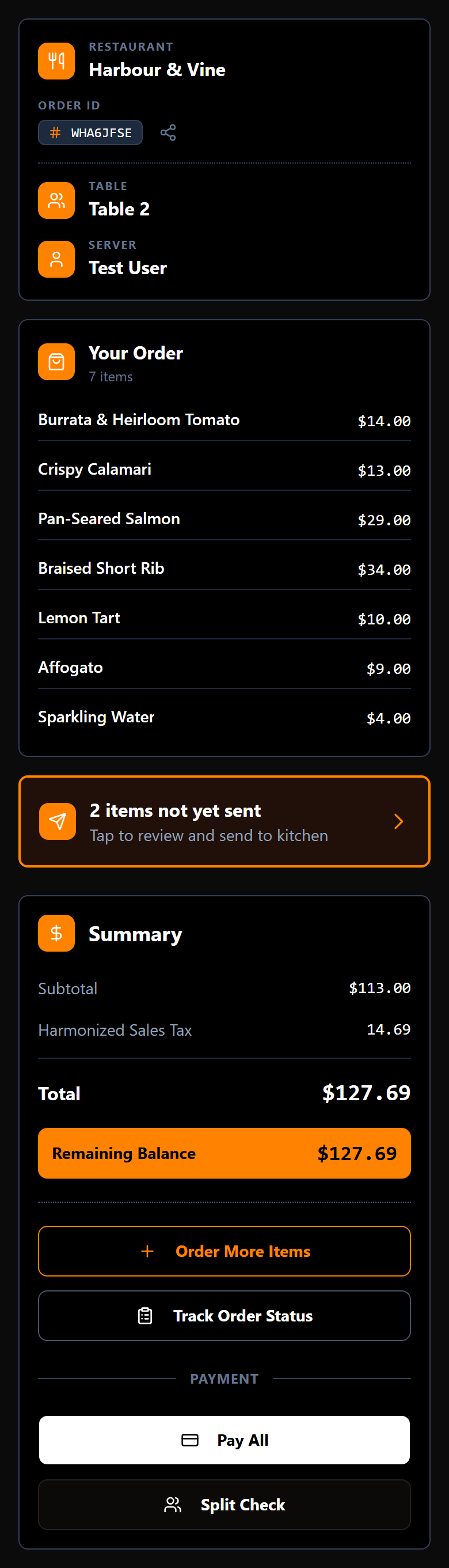
This is where you land, and where you come back to. It shows the restaurant, your table, your server and your order code, the running total for the table, and the buttons for everything else.
If anything at the table has been added but not yet sent to the kitchen, a band across the top says n items not yet sent. Tap it to review them.
The order belongs to the table, not to your phone. Everything anyone at the table has ordered is here, whether they added it themselves or your server did. That is what makes splitting the bill work later.
Browse the menu
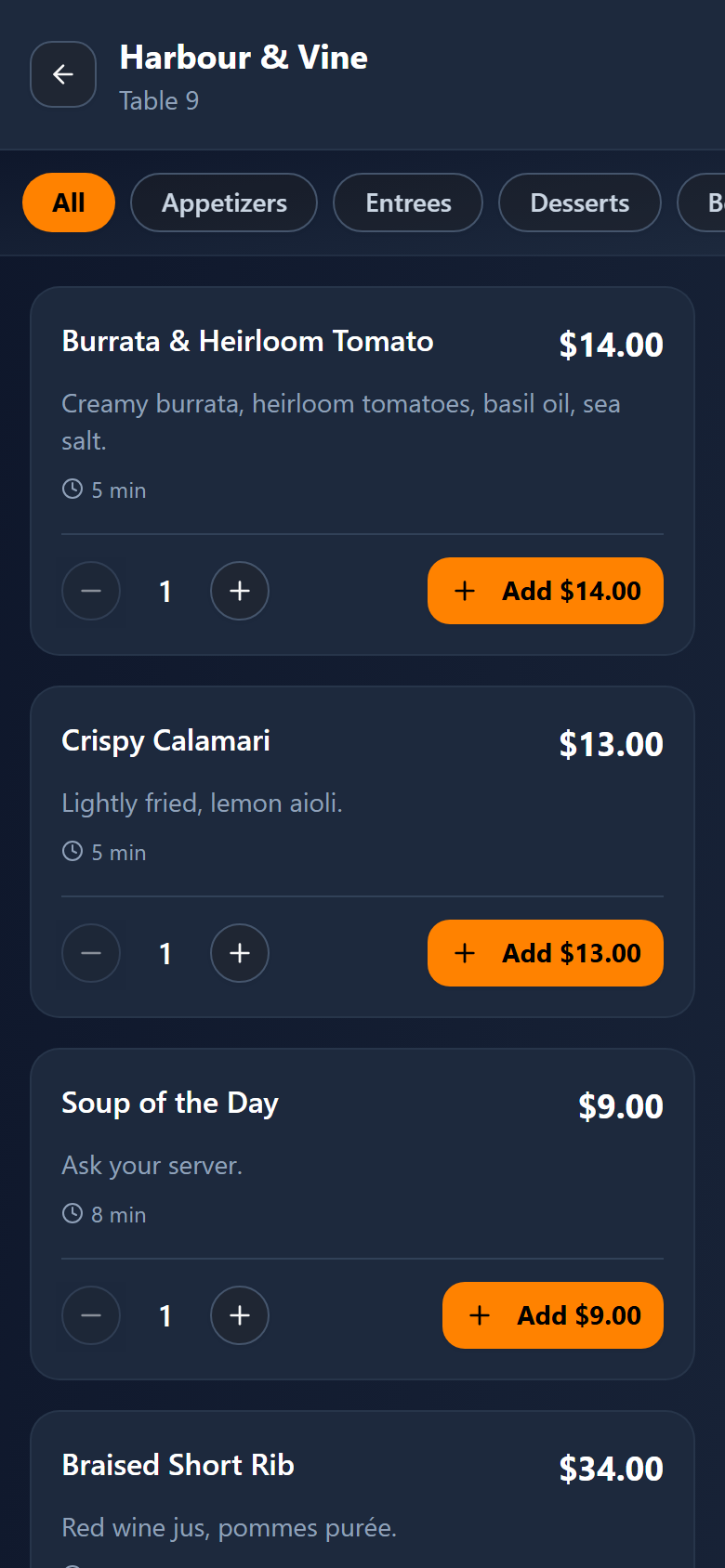
Tap Start Ordering — or Order More Items once there is something on the order — to open the menu.
Categories run across the top: All, then the restaurant's own sections such as Appetizers, Entrees, Desserts and Beverages. Tap one to narrow the list; tap All to see everything again.
Only dishes the kitchen can actually make right now are shown. If a dish has run out, it disappears from the menu until the kitchen puts it back.
The time under a dish (for example 10 min) is how long that dish takes to cook on its own. When the order is sent, the kitchen's workload is added on top of that; see how long will it take?.
Add something
Under each dish you also see its allergens; tap Allergens & details for everything the restaurant says about it. If you have an allergy, see Allergies.
Tap a dish to open it, choose any options it offers, then add it. It goes onto the table's order straight away — but it does not reach the kitchen yet. Nothing is cooked until the order is sent.
Change your mind
Anything not yet sent to the kitchen can still be changed. On the order status screen, items waiting to go sit under Pending Items, marked Editable: you can change how many you want, or remove one entirely.
Once an item has gone to the kitchen it is no longer editable from your phone. Ask your server — they can still change it for you.
Send it to the kitchen
When you are ready, a bar across the bottom reads Send to Kitchen with the number of items waiting. Tap it, and those items go through to the cooks.
That bar stays pinned to the bottom of the screen on purpose, so you never have to hunt for it.
Adding a dish is not the same as ordering it. If food has not arrived and the order still says not yet sent, this is almost always why.
Next: following your order as the kitchen works through it.