Following your order
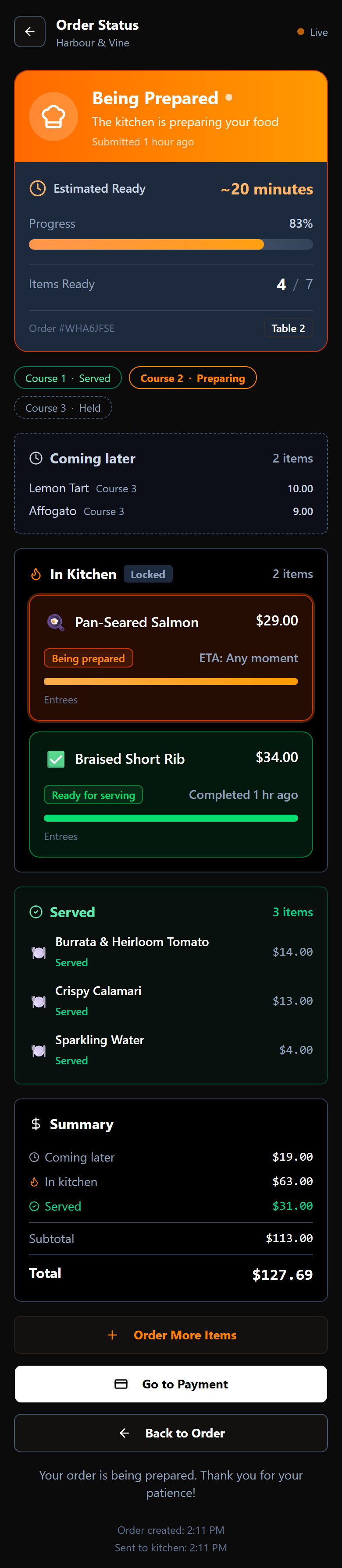
The order status screen is the live picture of your meal. It updates by itself while you watch — there is nothing to refresh.
The banner at the top
The coloured banner says where the order as a whole has got to, with an estimate of how long is left, how far along it is, and how many items are ready out of the total.
How long will it take?
The estimate in the banner is for the whole order, and it is worked out by the restaurant from three things:
- The slowest dish. A kitchen cooks in parallel, so three dishes that each take ten minutes are ready in about ten, not thirty. The order is done when its slowest dish is.
- How busy the kitchen is. When there are a lot of orders ahead of yours, every dish takes longer, and the estimate grows to match.
- The restaurant's minimum. Most restaurants set a shortest time they will promise, because cooking is not the only step. The food still has to be plated and brought to you. On a quiet evening that minimum is what you will see.
That is why the time in the banner is often longer than the time on the menu. The menu shows how long a dish takes to cook on its own; the banner shows when your order should actually reach you.
Before you send, the banner reads ~n min after submission: a rough figure from the dishes alone, because the clock does not start until the kitchen has the order. Once it is sent, the figure is updated to account for the kitchen's workload.
The estimate is a guide, not a promise. If it has passed and nothing has arrived, ask your server.
Courses
If your table is eating in courses, a row of chips sits under the banner — Course 1 · Served, Course 2 · Preparing, Course 3 · Held — so you can see the shape of the meal at a glance. The course being worked on now is highlighted.
Courses are paced by the restaurant, not by you. Your starters go to the kitchen first; the mains follow when the pass decides the table is ready for them.
What the sections mean
Your items are grouped by where they are, not by when you ordered them:
| Section | What it means |
|---|---|
| Pending Items | Added, but not yet sent to the kitchen. Still editable. |
| Coming later | Sent and charged, but held back for a later course. |
| In Kitchen | With the cooks now. Locked — no longer editable. |
| Served | On your table. |
| Cancelled | Removed from the order. Not charged. |
A section only appears when it has something in it.
Coming later
Coming later is food you have ordered and will be charged for, that the kitchen is deliberately holding until it is time. It is how a dessert stays out of the kitchen while you are still on your mains.
Two things are worth knowing:
- It is already on your bill. The summary at the bottom counts it, so your total will not jump when it arrives.
- It is read-only. Deciding when a held course goes to the kitchen is the pass's job, not something you can trigger from your phone. If you want it sooner — or not at all — ask your server.
In Kitchen
Each dish here shows its own state. Being prepared means a cook has it. Ready for serving means it is plated and waiting to come out. You may also see a rough estimate of when it will be ready.
The summary
At the bottom, the money is broken out the same way: what is coming later, what is in the kitchen, what has been served, then the subtotal and the total for the table.
Live updates
The screen re-reads on its own every few seconds, so states change under you as the kitchen works. The Live marker at the top right tells you it is current.
When you are ready to settle up, go to splitting and paying.